Search & Discovery on Shopify (2025)
Table of contents
Why Search & Discovery?
Shoppers who search have intent. Across categories, sessions with a search event typically convert 2–3× higher than browse‑only traffic. But the lift only appears when search and collections are tuned: fast queries, relevant ordering, clear filters, and no dead ends. This playbook explains:
how to measure real uplift (not vanity CTR),
which collection/search patterns to ship first,
how to keep mobile fast while adding filters,
and where “personalization light” pays off without risk.
The business case: search users convert 2–3× higher
Search sessions carry stronger intent. Use the metrics below to prove real uplift (not vanity CTR) and to keep decisions tied to revenue and margin.
What to measure (and how):
Search participation rate: sessions with ≥1 search ÷ total sessions. Target: 18–35% (category‑dependent).
Search revenue per session (sRPS): revenue from sessions with search ÷ search sessions. Compare to overall RPS.
Search conversion rate (sCR): orders ÷ sessions with search event. Benchmark vs. non‑search sessions.
Zero‑result rate: queries with 0 results ÷ total queries. Target: < 5–8%.
Result engagement: click‑through from SERP, add‑to‑cart (ATC) from SERP, and time to first product view.
Query latency (P50/P95): end‑to‑end response; keep < 300 ms server time and < 1.5 s to first painted results on mobile.
How to attribute uplift properly:
Run a 2‑week test with traffic split:
Tuned S&D (synonyms, merchandising, sort rules) vs 2) Control (default). Compare RPS and ATC from SERP/listing. Normalize by source (paid/organic) and market.
Guardrails: track margin per order, not just revenue; aggressive bury/boost can push low‑margin SKUs.
Keep it simple and margin‑safe: show that search raises revenue per session and ATC from SERP/listing while return rates and unit margin stay stable. If not, adjust rules before adding more features.
Collection UX that sells
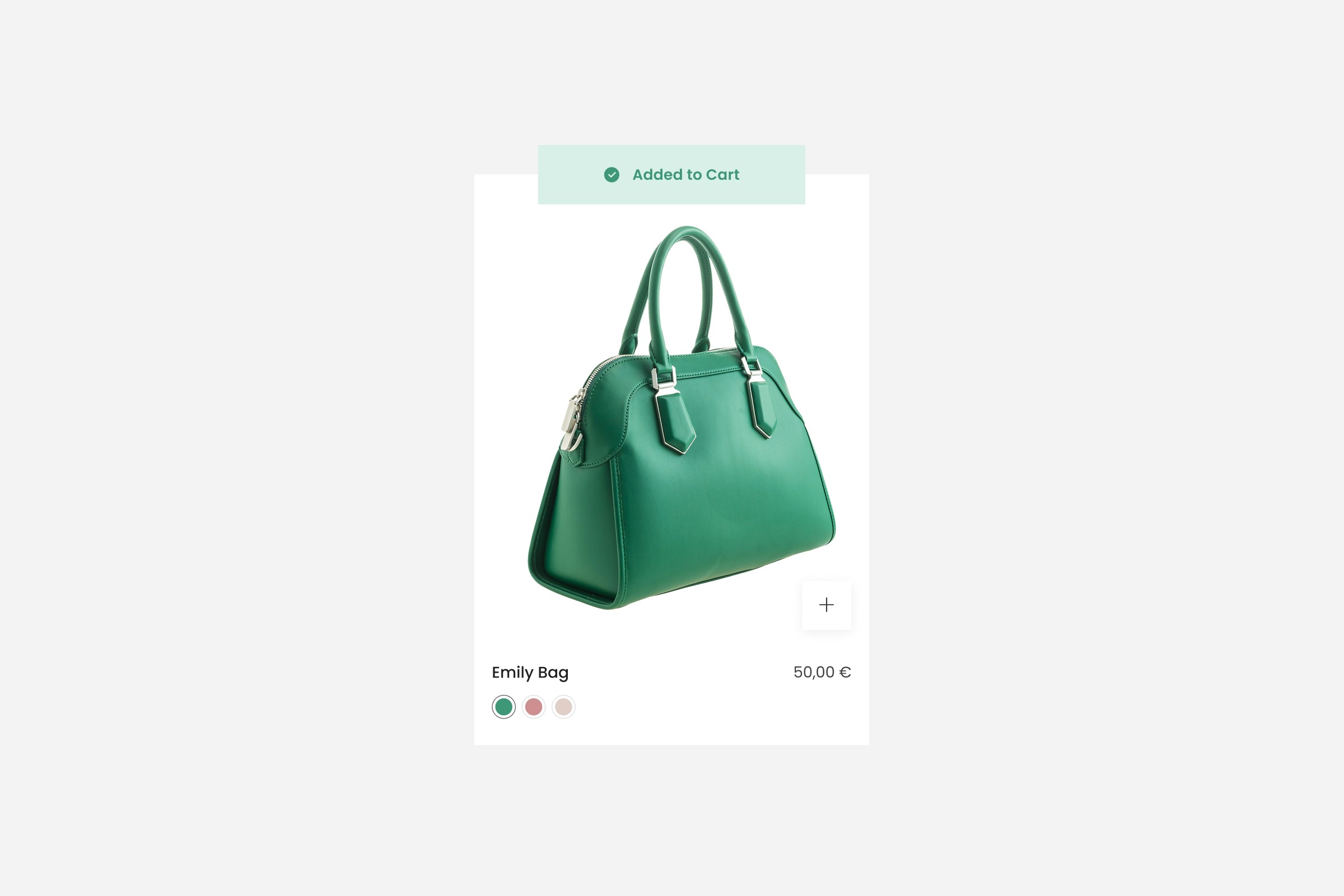
Intro: Make collections do the selling—prioritize market‑aware sort, quick add, and variant‑aware cards so shoppers decide in seconds without slowing mobile.
Goal: Show the right items, faster, with fewer taps—especially on mobile.
Ship this first:
Sort rules by market/source.
Default sort = Bestsellers per market (Markets), not global.
Create pinned rows for seasonal/launch SKUs; demote low‑stock or return‑heavy items.
For paid traffic, test a New Arrivals or Value‑first sort on landing collections.
Quick Add that respects variants.
Enable quick add on cards.
For multi‑variant items, open a compact sheet with size/color; preselect the most popular in that market.
Variant‑aware cards.
Update the image and price when swatches change.
Show size availability (e.g., S/M/L) at card level; hide truly unavailable variants.
State memory.
Preserve scroll and filters when bouncing PDP ⇄ listing.
Keep chips for selected filters visible at the top.
Speed on mobile.
Server‑side paginate (no infinite scroll by default).
Lazy‑load rows; ship AVIF/WebP with
srcset.Defer UGC and heavy media below the first 8–12 cards.
Treat collections as a decision engine. If shoppers can add from the card and trust delivery/returns, they won’t need to open every PDP. Track ATC from listing and RPS by market; if speed dips, trim media first before adding features.
Site search that helps (not just finds)
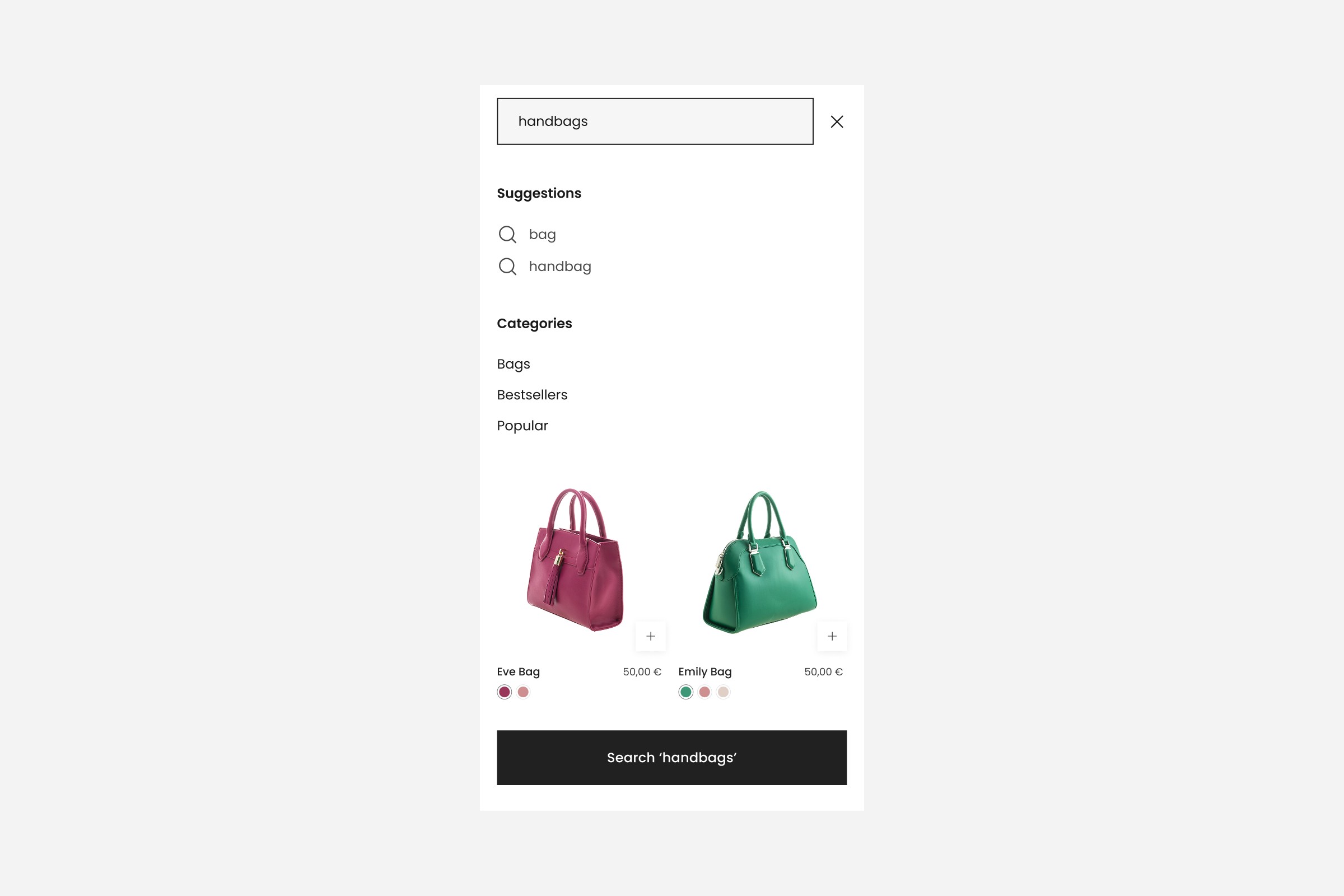
Turn intent into action. Clean up messy queries, rescue zero results, and merchandise high‑intent terms—without slowing mobile.
Synonyms & typos: add brand/category synonyms (e.g., “trainers” ↔ “sneakers”; “hoodie” ↔ “sweatshirt”), plurals, and locale variants. Enable fuzzy matching with a tight edit distance.
Zero‑result rescue:
Fall back to popular categories + bestsellers by market.
Show helpful copy: “No exact matches. Here’s what’s popular in your size S.”
Query merchandising:
Pin key products for commercial queries (“gift”, “bundle”, “sale”).
Redirect intent queries (e.g., “returns”, “size chart”) to content pages.
Result anatomy:
Thumbnails with variant color, price, badges (new/sale/low stock).
Inline filters for size, availability, price.
On mobile, keep results grid tappable; avoid cramped tables.
Speed: cache popular queries; stream results; keep JS under strict budget.
KPIs: zero‑result rate, sCR, ATC from SERP, latency.
Two dials matter most: zero‑result rate and ATC from SERP. If zero‑result > 8% or ATC is flat, expand synonyms, add rescue blocks, and pin 6–12 SKUs for commercial queries. If latency creeps up, trim scripts and heavy widgets before adding features.
Facets & filters: fewer, clearer, faster
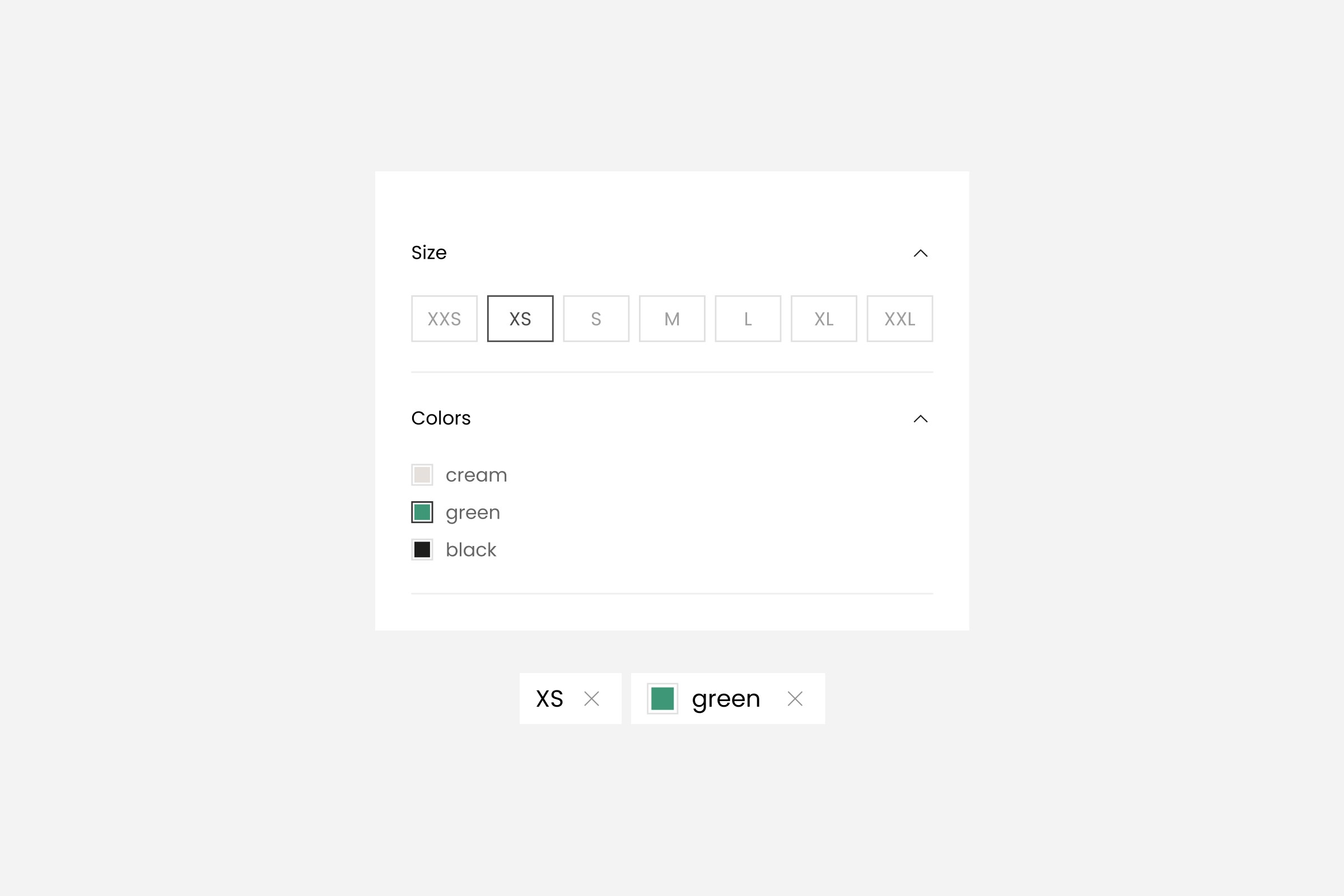
Intro: Keep filters useful and fast. Start with a small set that matches how customers actually shop, and design for mobile speed first.
Principles:
Start with 4–6 facets that actually change choices: size, color, price, availability, fit/length, material (category‑specific).
Plain words > jargon: “Fit” not “silhouette”; “Waterproof” not “DWR rating”.
Multi‑select with logic: OR within a facet (e.g., sizes M or L), AND across facets.
Chips above the grid for active filters; one‑tap clear.
Protect mobile speed:
Render filters server‑side; load facet counts lazily.
Collapse long lists; add search‑in‑facet for brands/colors.
Memoize facet state; defer UGC/widgets until after first interaction.
Budget: keep INP ≤ 200 ms on filter taps; avoid layout shifts (CLS ≤ 0.1).
Quality checks:
Does the filter set match how customers actually shop (size first vs style)?
Are any facets producing <2% use? Remove or hide on mobile.
Keep the filter set small, clear, and fast. Prioritize facets customers actually use (size, color, price, availability), render server‑side, and watch INP ≤ 200 ms/CLS ≤ 0.1 on taps. If facet usage drops below ~2% or latency creeps up, remove low‑value options, simplify labels, and defer non‑essential widgets before adding anything new.
Personalization light: segment‑aware ordering + safe fallbacks
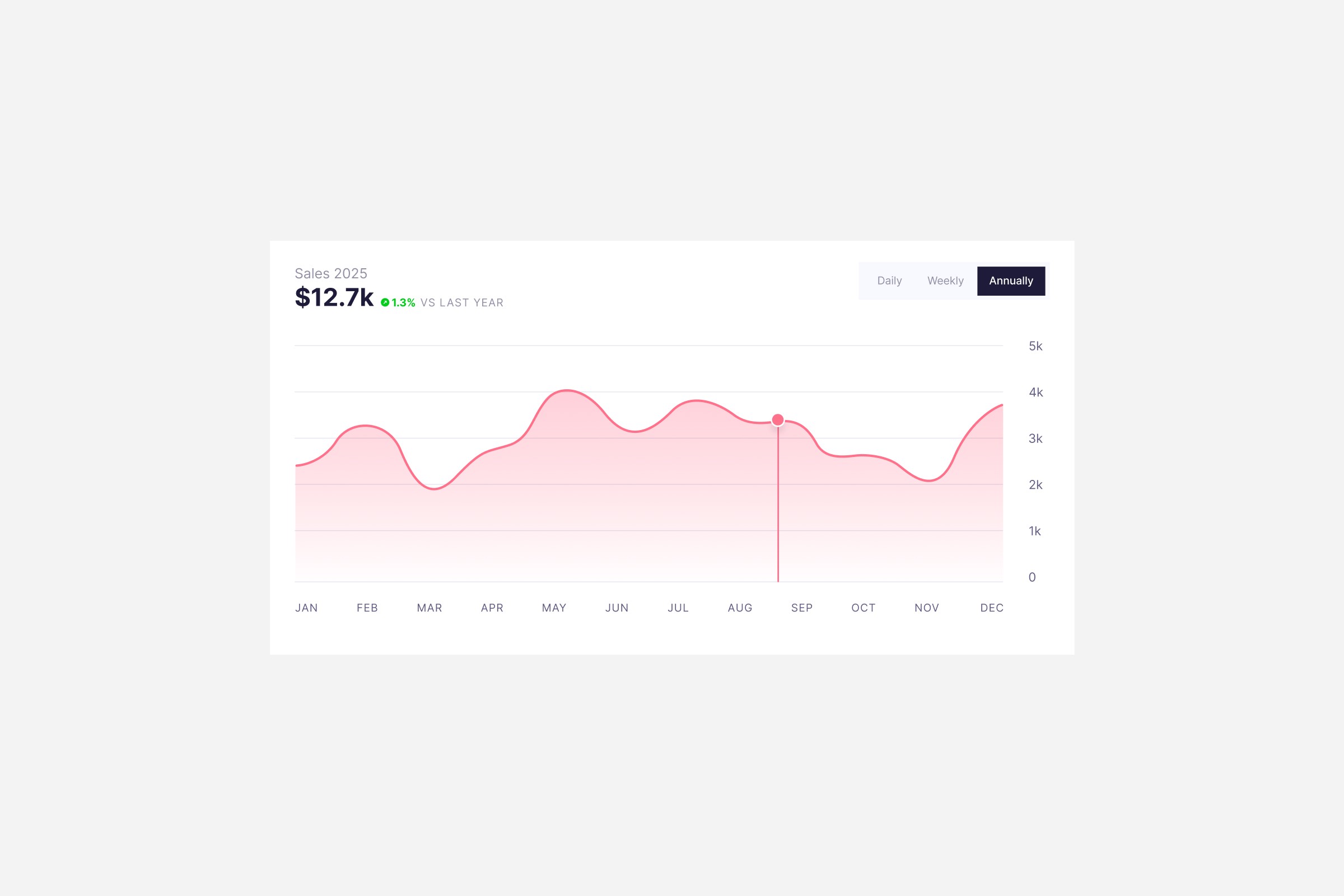
Personalize the order of products only after foundations are solid. Use light signals (market, session behavior, size affinity) with strict guardrails so relevance rises without risking margin.
Skip black‑box “AI” until foundations are solid. Use segment‑aware sorting with business guardrails and explicit fallbacks.
Segments: new vs returning, gendered interest, recent category views, market, and stock.
Ordering: boost affinity categories and sizes that match past views/purchases.
Guardrails:
Never hide profitable core SKUs.
Enforce min margin/stock rules.
Cap exposure per session (e.g., no more than 50% personalized rows).
Safe fallbacks: when signals are weak, drop to market bestsellers or editor’s picks.
Measure: uplift in RPS and ATC from listing/SERP for segmented sessions vs control; monitor returns.
Keep it transparent and reversible. If RPS doesn’t move or returns creep up, reduce boost strength, widen fallbacks to bestsellers, and keep core SKUs visible. Personalization should help good merchandising—not replace it.
FAQ
Do we need an external search engine to get good results?
Not necessarily. Start with Shopify Search & Discovery + good data hygiene (titles, tags, metafields). If you hit limits (complex stemming, multi‑language nuance, vector queries), evaluate specialized engines—but only with clear KPIs.
How do we balance merchandising control with relevance?
Use rule layers: 1) hide OOS/low‑stock; 2) boost margin‑safe SKUs; 3) then apply behavioral/segment boosts; and 4) keep a fixed row of evergreen bestsellers as a safety net.
Will filters slow down mobile?
They can. Render SSR, send compact JSON for facet counts, and keep INP ≤ 200 ms on taps. If P95 INP rises, reduce facets or chunk lists.
What’s the best success metric?
Revenue per session from discoverability surfaces (SERP + collections) and search conversion rate. CTR alone is vanity.
How do we avoid pushing returns up?
Add fit/length filters and size availability on cards; show “runs small/true to size” notes on PDP; monitor return reasons for over‑boosted items.
Infinite scroll or pagination?
Use server‑paginated pages with “Load more” on mobile to protect performance and allow users to re‑find their place.
How often should we refresh rules?
Weekly for pins/boosts during seasonality and drops; monthly for synonyms and zero‑result analysis; quarterly for facets.
Search & Discovery — Summary
A one‑minute crib sheet—sanity‑check your setup and pick the next small, high‑leverage changes before adding new features.
Measure real impact: sCR, sRPS, zero‑result rate, ATC from SERP/listing, and latency.
Collections that sell: market‑aware sort, quick add, variant‑aware cards, and state memory.
Search that helps: synonyms, redirects, query merchandising, and zero‑result rescue.
Filters that stay fast: 4–6 high‑value facets, SSR, and strict INP/LCP/CLS budgets.
Personalization light: segment‑aware boosts with bestseller fallbacks and margin guardrails.
Start with market‑aware sorting and zero‑result rescue, protect mobile speed, and review KPIs weekly. Layer in light personalization only after foundations are stable and unit margin stays healthy.
Need help? Hyper Effekt ships Search & Discovery upgrades for Shopify/Plus—strategy, implementation, performance, and measurement.
Planning a Shopify migration or further growth for your store? Let’s find the best solution together.
Published in
by
Chris Stola